How Do I Submit a Job Opening?
On the "Submit an Opening” page, fill out the required
fields.
NOTE: Do NOT enable the "Allow Online Applications”
feature. Only select "No, I will
tell them "How to Apply” below.
You may cut and paste text from a word document into the "How
to Apply/Contact” field and the "Description and Details” field using the "Paste”
icon. Click on the "Paste” icon and select "Paste
from Word.”
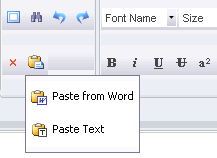
When the paste box appears,
hit Control +V to paste your copied text from Word and click OK. Using this feature should retain most of the
formatting from your Word document.
How Do I Search Job Listings?
On the "Search Job Openings” page in the Career Center
section, type in a keyword or refine your search criteria according to state,
type of position, etc.
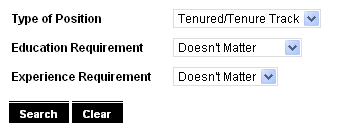
Click the "Search.”
To review each individual search result, simply click on the
hyperlink next to the job in the "Position” column.
 Print Page


